Sun 被 Oralce 收购了,我担心我没有新版本的 Virtualbox 用了……
Virtualbox 是我最喜欢的桌面虚拟化软件,目前的最新 release 是 2.2.0。我之所以喜欢 Virtualbox,是因为 Virtualbox 实在是:
Sun 被 Oralce 收购了,我担心我没有新版本的 Virtualbox 用了……
Virtualbox 是我最喜欢的桌面虚拟化软件,目前的最新 release 是 2.2.0。我之所以喜欢 Virtualbox,是因为 Virtualbox 实在是:
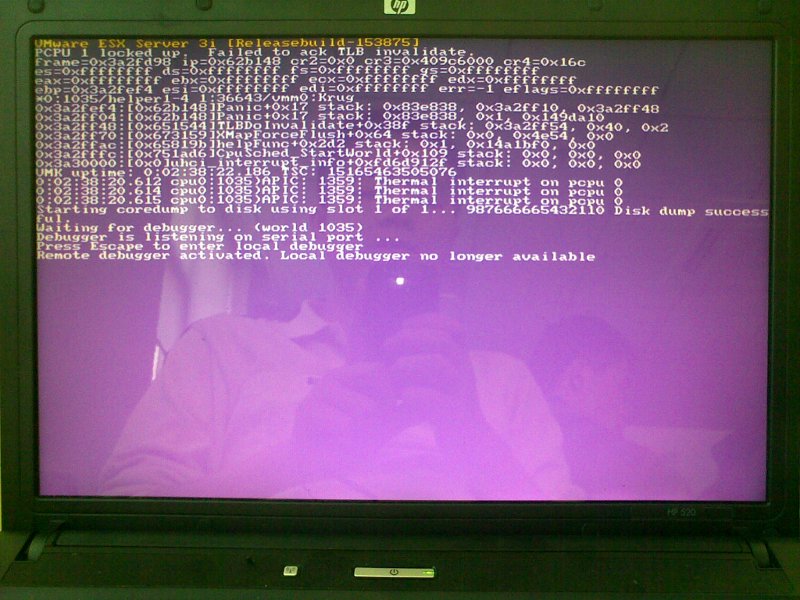 But I was not surprised at all, because I knew there were problems with the HP 520, at least with this model of HP 520. This HP 520 is equipped with Intel Core 2 T5200 CPU, according to wikipedia(http://en.wikipedia.org/wiki/List_of_Intel_Core_2_microprocessors), it looks like this CPU is an OEM product. It’s a Core Duo 2 CPU, but it can’t run 64bit OS, and no hardware virtualization support either, really weird.
Anyway I can’t get it work with VMware ESXi, a little frustrated, I have to use KVM VMs for testing krugle before the new server reaches.
But I was not surprised at all, because I knew there were problems with the HP 520, at least with this model of HP 520. This HP 520 is equipped with Intel Core 2 T5200 CPU, according to wikipedia(http://en.wikipedia.org/wiki/List_of_Intel_Core_2_microprocessors), it looks like this CPU is an OEM product. It’s a Core Duo 2 CPU, but it can’t run 64bit OS, and no hardware virtualization support either, really weird.
Anyway I can’t get it work with VMware ESXi, a little frustrated, I have to use KVM VMs for testing krugle before the new server reaches.
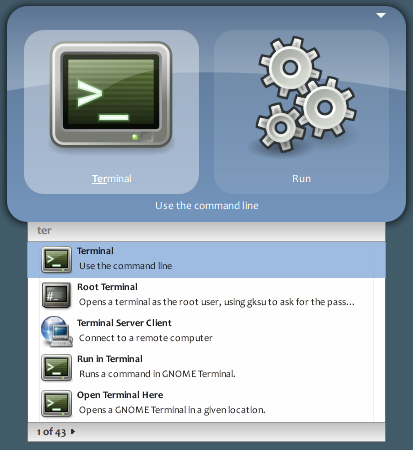 The problem with my gnome-do 0.8.1.3 is: it doesn’t list anything of my application items(The ones sits in Gnome’s Applications menu), I think this functionality is of gnome-do itself. But all the plugins of gnome-do work well, it’s really weird why it breaks while 0.8.0 worked for me.
Window doesn’t redraw correctly sometimes when using compiz, but if I switch to another window then switch back, it redraws, this problem occurs with any type of windows, it’s annoying.
I am using compiz 0.8.2 on my DELL 1420, with a Nvidia 8400M GS video card and Nvidia driver of version 180.44. Once upon a time, I can run compiz on this computer without any problem, but that’s really a very long time ago, with a very old nvidia driver and very old compiz fusion.
After looking around the web, I found there are people with the very same problem as mine, some of them have same video card as mine too, and there are several solutions to this problem, but maybe one of the methods can solve one guy’s problem, but it doesn’t matter to other people, I have tried some of them, but none of them matters, following are some methods maybe useful(at least useful for some people to get this problem solved):
dia-settings -a InitialPixmapPlacement=1 -a GlyphCache=11 2 | |
I’ll try these solutions one by one, and maybe combination of these solutions, hope this annoying problem can be fixed.
UPDATE: It looks like the problem has gone after I enabled “Indirect Rendering” and “Loosing Binding” at the same time, wow!
I previously mounted one NFS volume from the NFS server, but now the NFS server is down, then I have problem with “df” command to see the disk space usage information from my computer, now the only thing I want to do is to unmount the unreachable NFS volume.
The NFS volume is mounted at /mnt/nfs, when I try to unmount the NFS volume, I am told that it is busy, so I use lsof /mnt/nfs to find out the process using it normally, but lsof gets stuck and it never return the shell prompt to me. Ok, then I use fuser -9 -k /mnt/nfs, try to kill the process forcefully, but fuser gets stuck too…
All methods I normally use to unmount a volume fail, so I go back to RTFM, and I get two interesting options of umount:
1 2 | |
Good, it looks like what I need, but unfortunely I fail with umount -f /mnt/nfs all the same, so I move on to another option:
1 2 3 | |
Wow! It works like a charm! That’s it: “umount -l /mnt/nfs”, maybe it will never be a pain to face a unreachable NFS volume again.